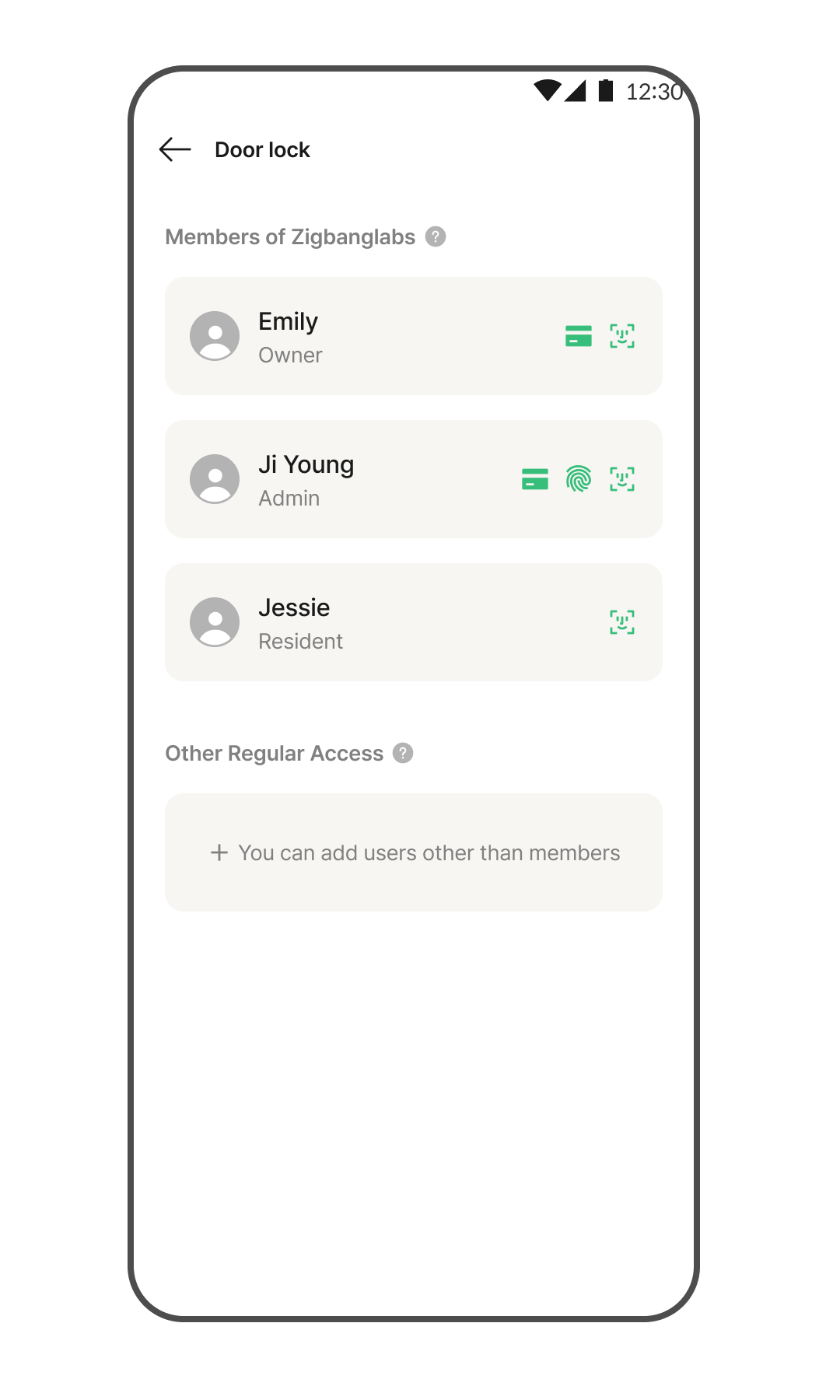
On the app's home screen, tap the Door Lock area. *Once door lock registration is complete, you will be automatically guided to the screen where you can add authentication methods.
Tap the [User Management] menu.
Tap your own profile.
Tap [Add] next to the authentication method you wish to register.
Tap the Arrow button to switch the door lock to authentication registration mode.
Follow the on-screen instructions to register your authentication method. *Closing the page during registration will not exit the registration mode on the door lock.
Once the page closes automatically, the authentication method is registered.
Adding Authentication Method for Other Users
Go to Home > Door Lock > Tap the [User Management] menu.
Tap [Add Other User] at the bottom. *You can register authentication methods on behalf of users who do not use the app.
Enter the user's name and tap the [Continue] button.
Select the authentication method to register for the other user.
Tap the Arrow button to switch the door lock to authentication registration mode.
Follow the on-screen instructions to register the authentication method. *Closing the page during registration will not exit the registration mode on the door lock.
Registration of the authentication method is complete.