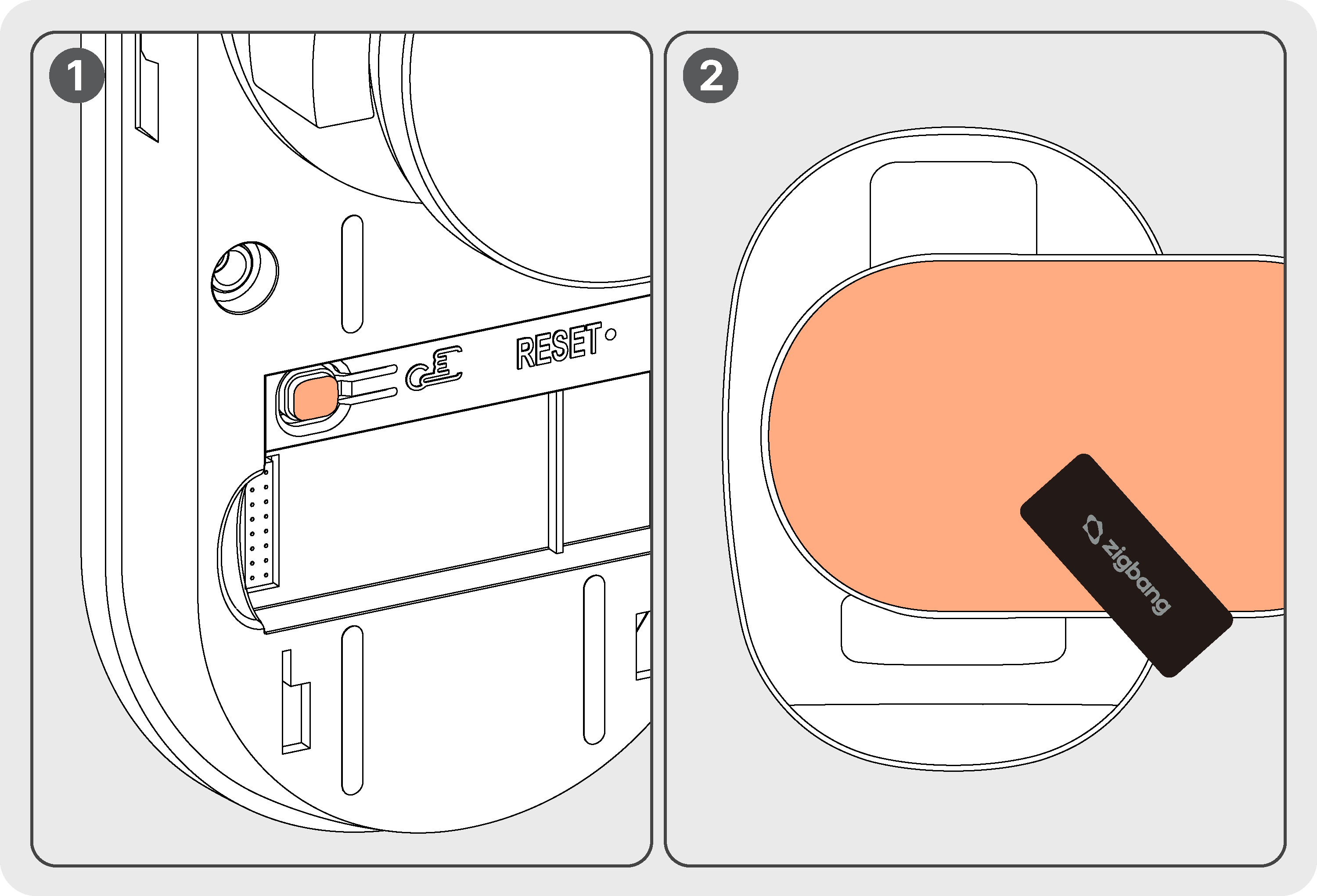
You can register up to 50 key tags.
Registered key tags can be individually deleted or fully reset through the APP(available only after WiFi registration).
Fingerprint Registration
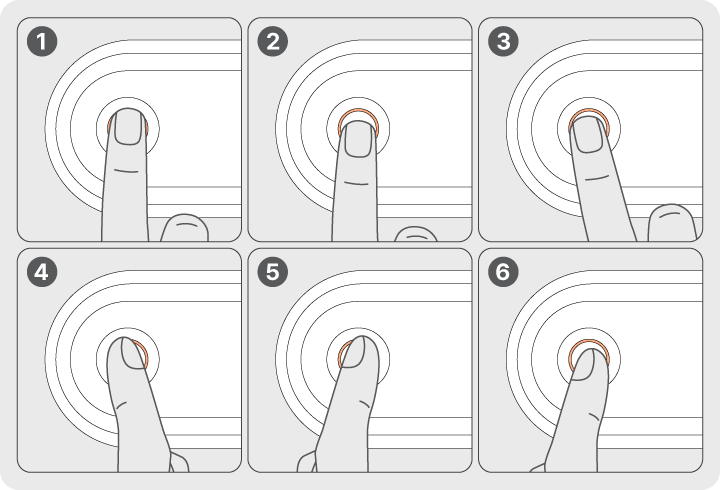
Place Your Finger on the Sensor:
Touch the fingerprint sensor with your finger.
Adjust Finger Position:
Slightly adjust the position of your finger after each scan to ensure full coverage of the fingerprint.
Registration Process:
After each successful scan, a “Ding” sound will be heard.
After 6 successful scans, a “Success” sound will confirm that the fingerprint has been registered.
Important Notes:
Make sure your finger is clean and dry for accurate registration.
If registration fails, try again or consult the product manual.
To activate Face Recognition during the process, press the doorbell button on the front of the outdoor unit handle. (This will exit Fingerprint and Key Tag modes.)
Face Registration
Maximum Registration:
Up to 50 faces can be registered.
Management:
Registered faces can be individually deleted or fully reset through the APP(available only after WiFi registration).