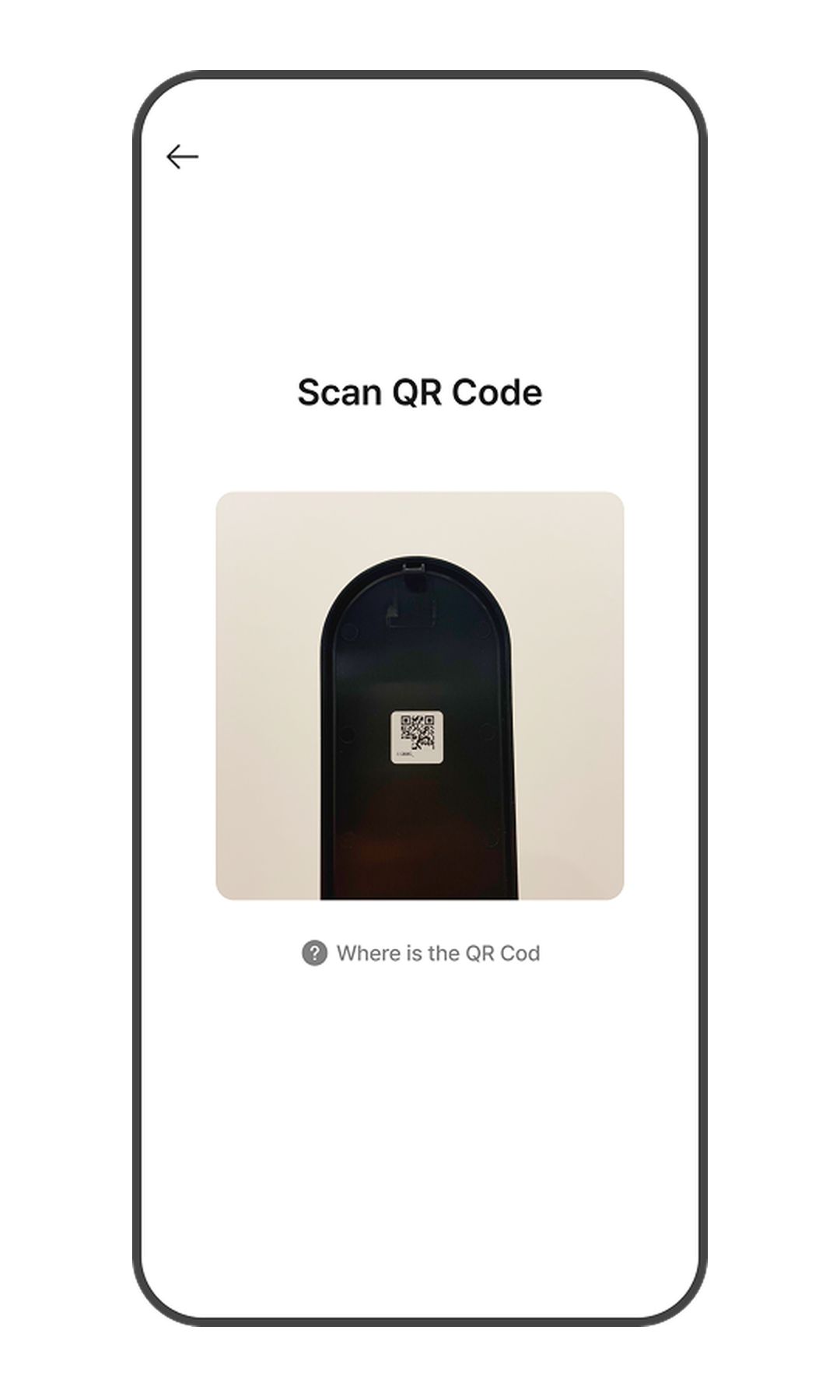
- Download the Zigbang Smart Home app and sign up.
- Access the Home screen and tap the [Add Device] button.
* This menu may not be visible depending on your member permissions. - Allow all permissions (Camera, Location, and Bluetooth) for door lock registration.
* You cannot register the device if permissions are not granted. (Wi-Fi must be turned on.) - Scan the QR code attached to the inside of the door lock cover. Alternatively, a QR code is included in the product packaging.
* Please refer to the section below for the QR code location. - Press the registration button for 1 second to set the door lock to registration mode.
* The registration button is located inside the door lock battery cover. - Select your Wi-Fi network and enter the password to connect the door lock to the network.
* Only 2.4 GHz Wi-Fi networks are supported. - Do not close the app while the door lock is being registered. This may take some time.
- Once the door lock registration is complete, proceed to the next step (Adding Authentication Methods).
QR Code Location
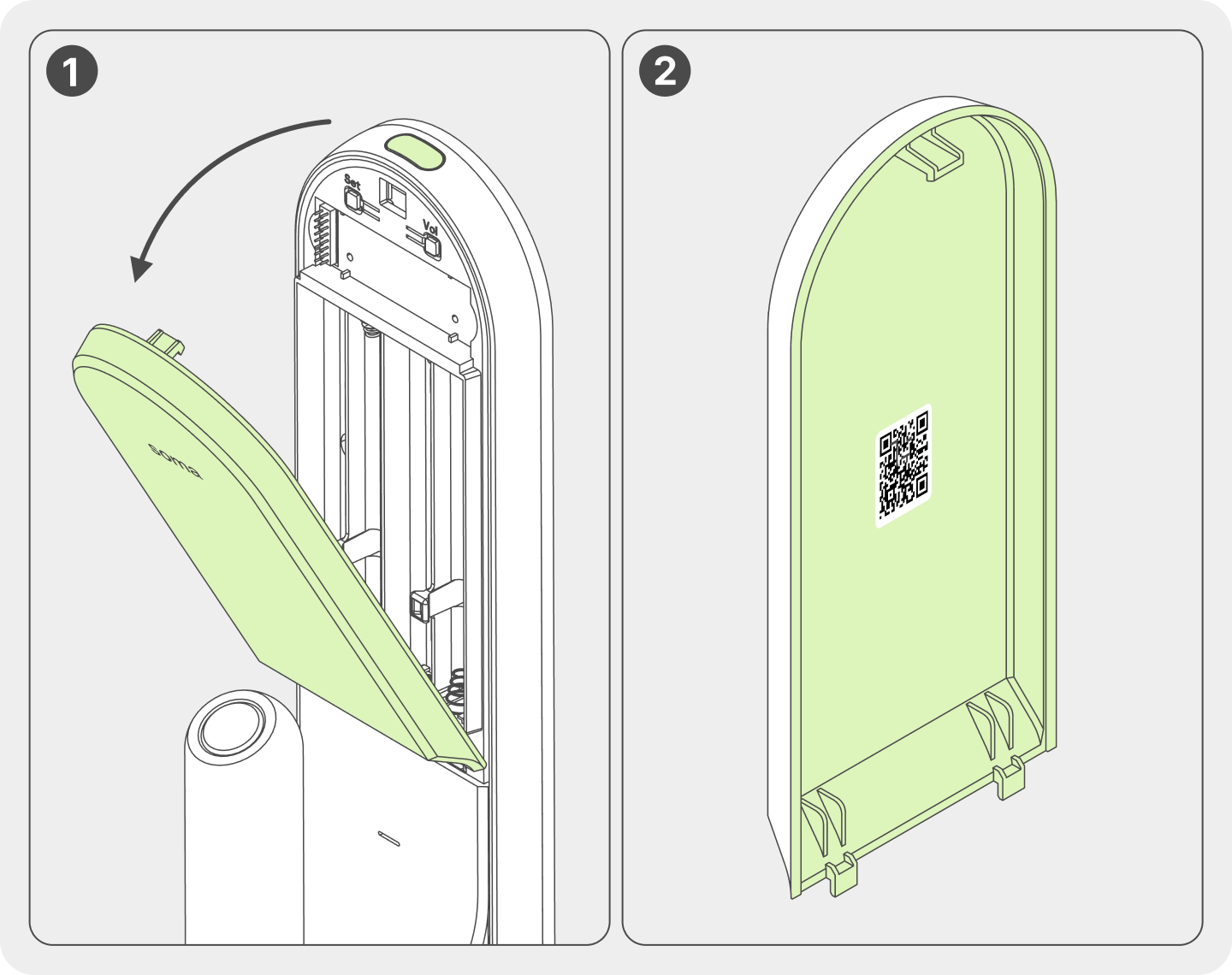
- Open the battery compartment cover at the bottom of the indoor unit.
- The QR code is located in the center of the battery cover.
