Privacy Mode
This feature blocks entry from the outside when you are inside the house. When Privacy Mode is activated, the door cannot be opened from the outside even with a registered authentication method. This feature is automatically deactivated when the door is opened from the inside.
Use it in these cases
Useful when you want to block outside intrusion at night after all family members have returned home, or when you want to completely block entry from the outside while sleeping.
Manage on the App
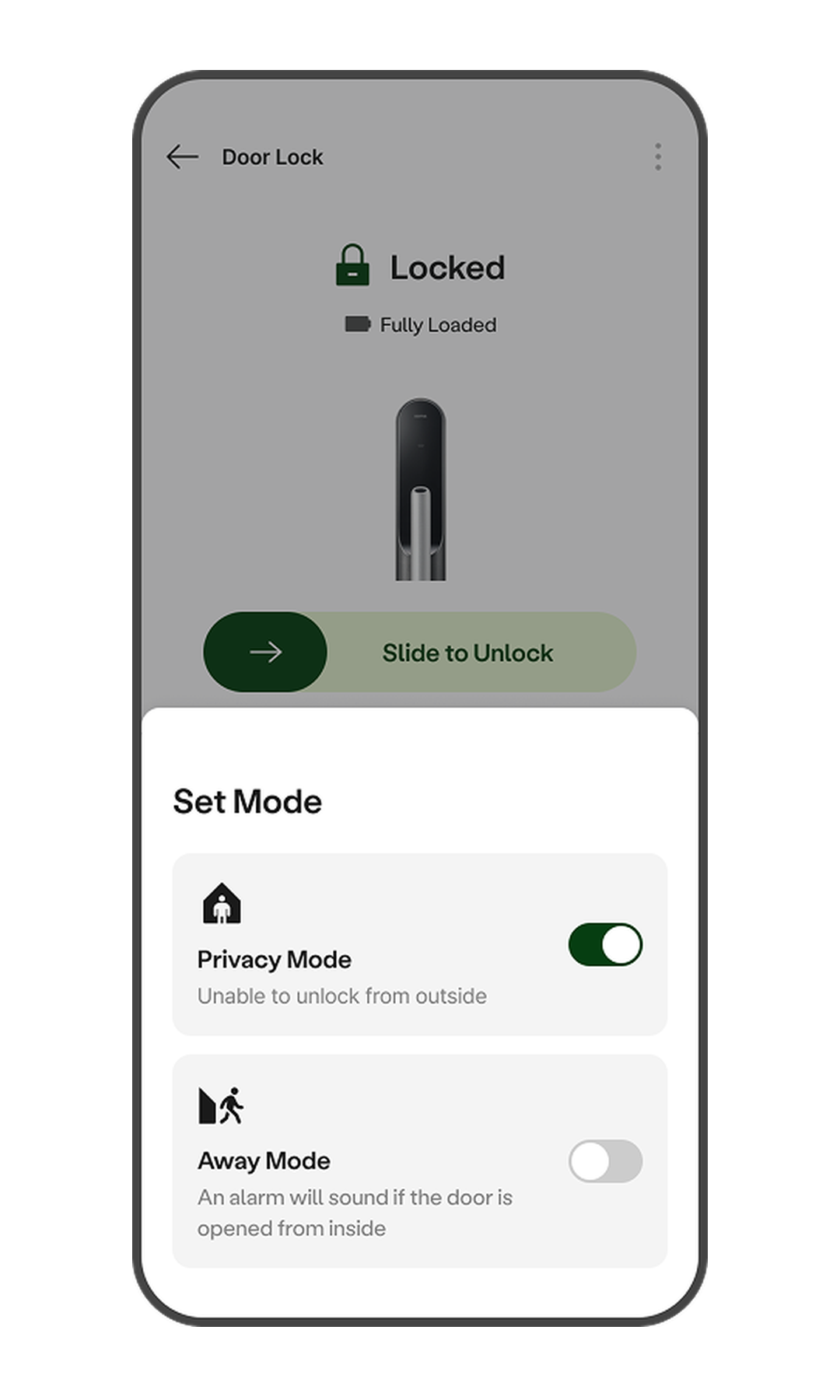
- Tap [Door Lock] on the app Home screen.
- Tap [Mode Settings] at the bottom of the screen.
- Tap [Privacy Mode] to enable/disable the feature.
Manage on the Device
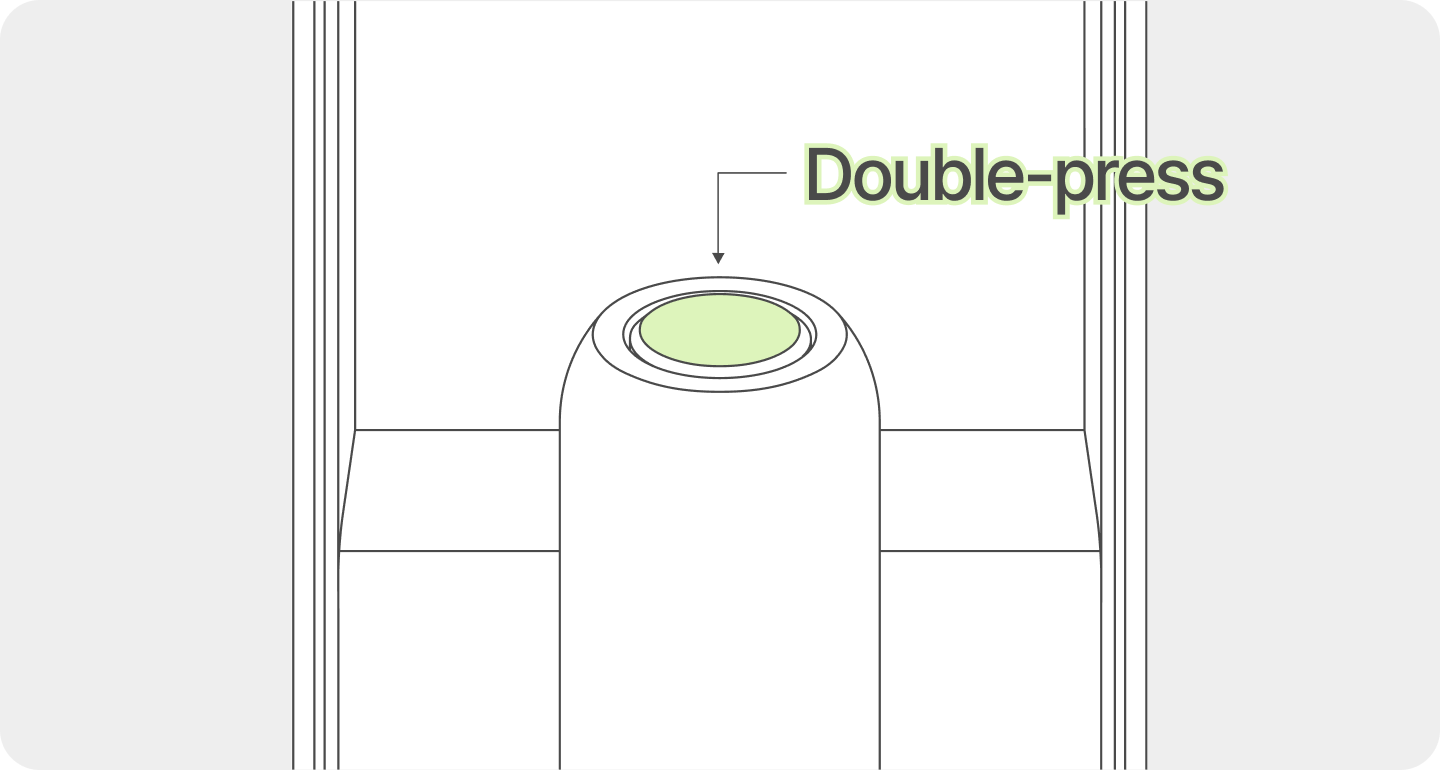
- Press the indoor [Unlock] button twice in a row to activate Privacy Mode.
- While Privacy Mode is active, press the [Unlock] button twice in a row to deactivate it.
- While Privacy Mode is active, opening the door by pressing the indoor [Unlock] button will automatically deactivate Privacy Mode.
Away Mode
This feature detects intrusions by sensing door openings from the inside when going out. When Away Mode is activated, if the door is opened from the inside, it is considered an intrusion, triggering a warning sound and sending an intrusion notification to the app. This feature is automatically deactivated when the door is opened from the outside using any authentication method other than a mobile key.
Use it in these cases
Useful when all family members are out and the home is vacant, or when you want to monitor for external intrusions during long absences. Please use it only when there is no one inside the home.
Manage on the App
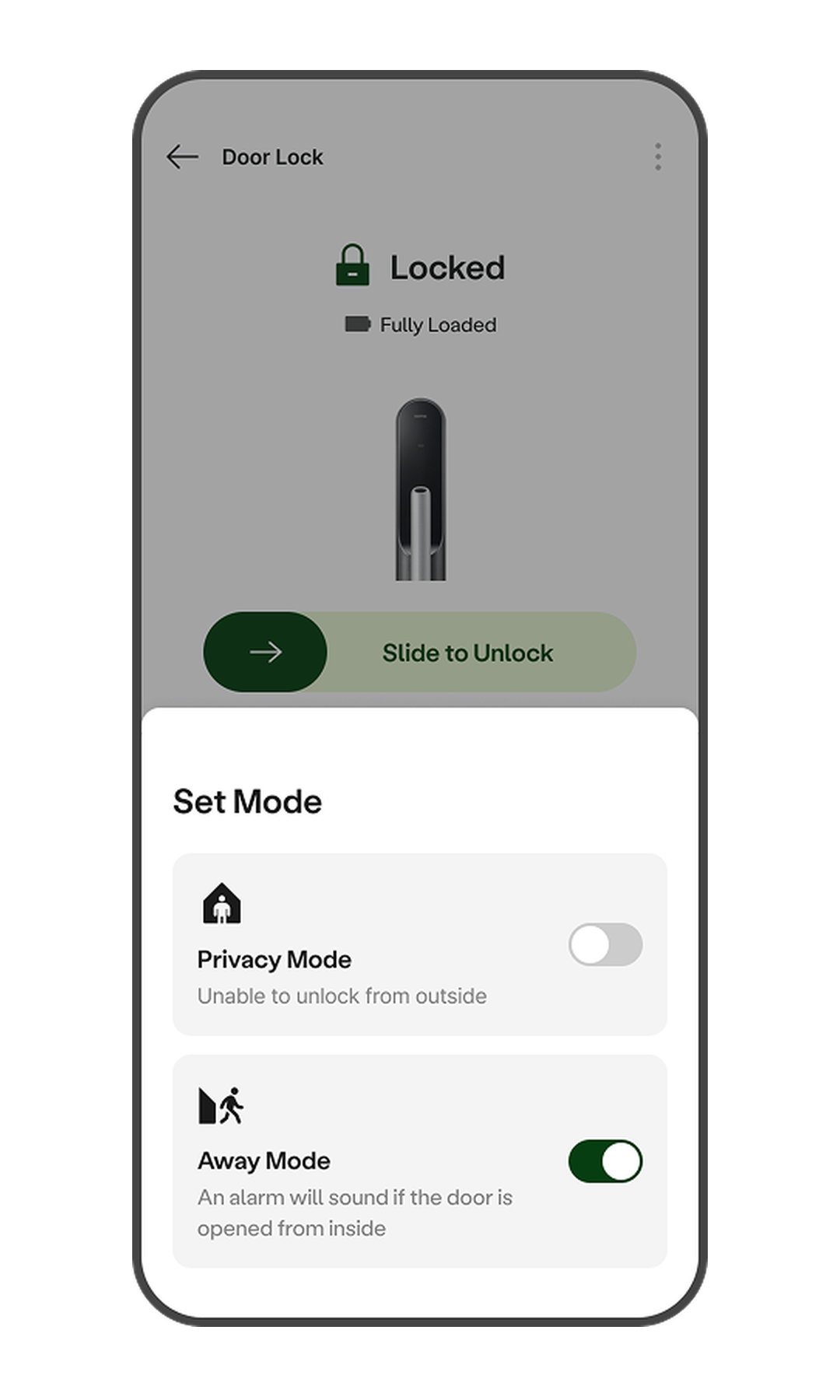
- Tap [Door Lock] on the app Home screen.
- Tap [Mode Settings] at the bottom of the screen.
- Tap [Away Mode] to enable/disable the feature. The default setting is OFF.
Manage on the Device
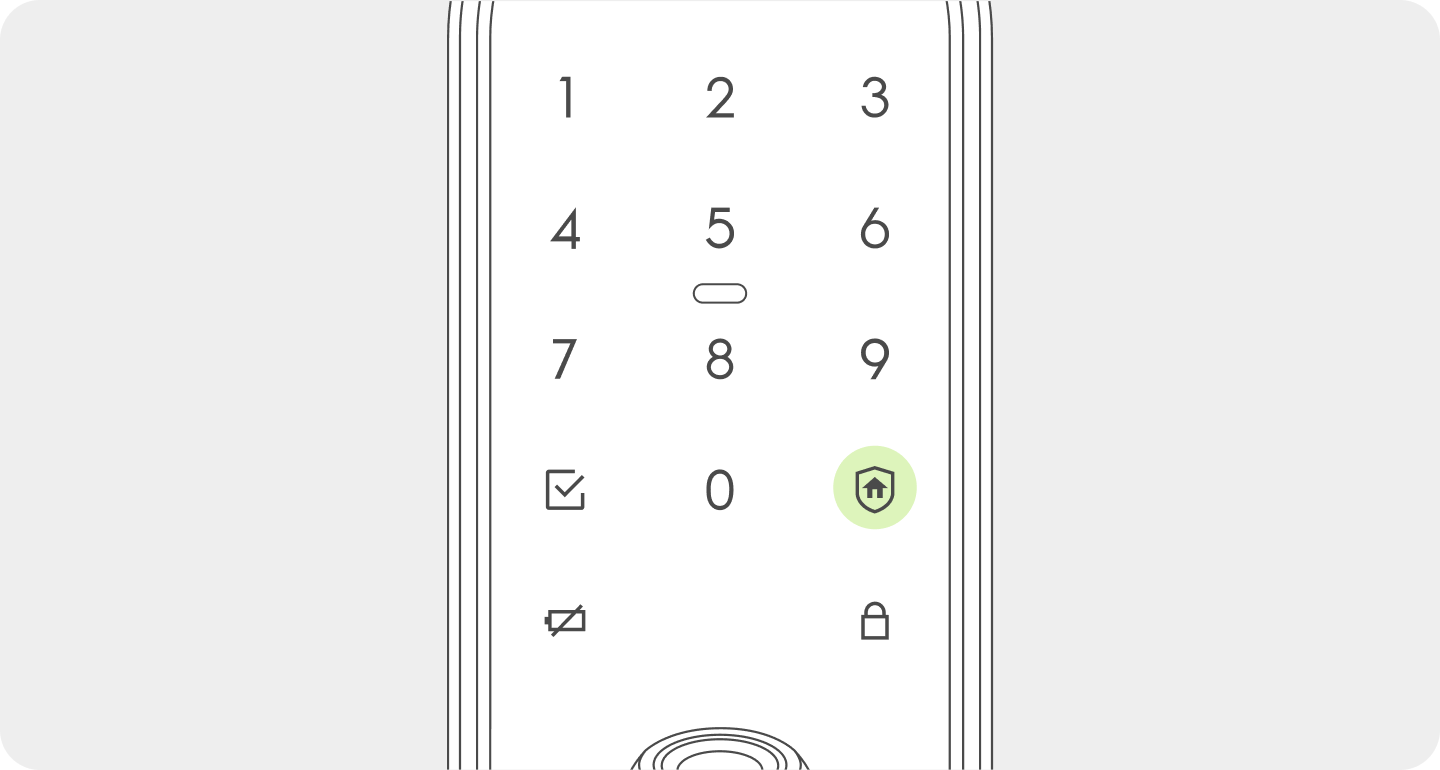 Close the door to lock it. When the
  button lights up on the keypad, press it within 3 seconds to turn on Away Mode.