4. Visitor Guide
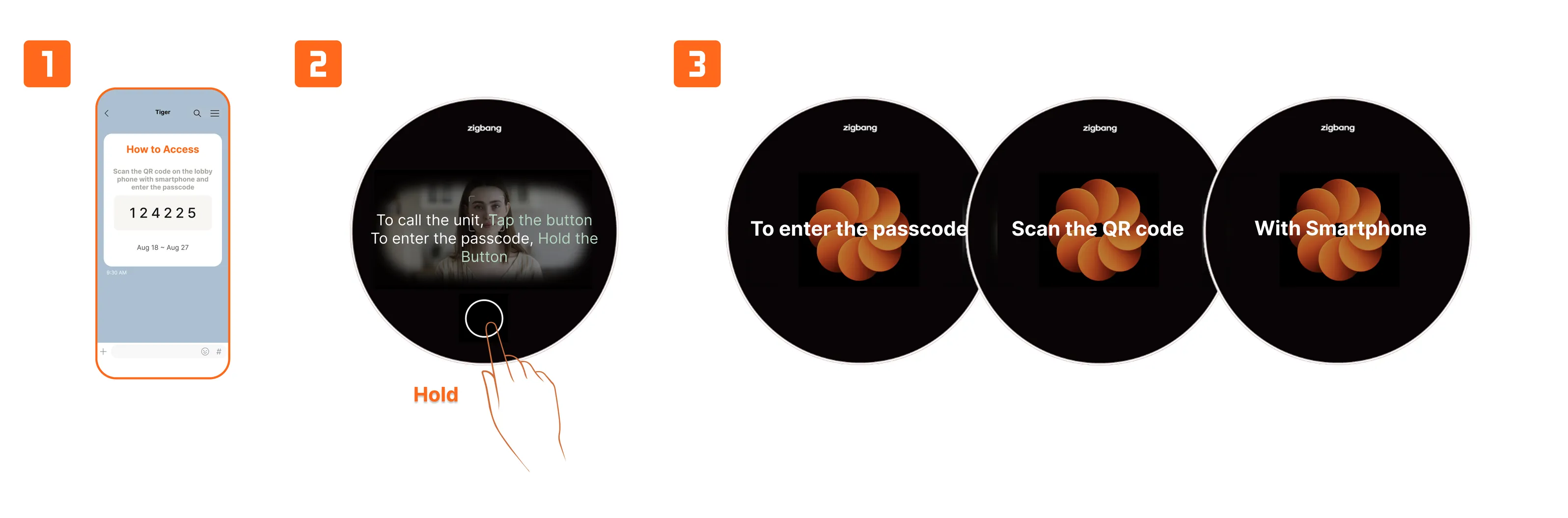
Visitor Access via Passcode
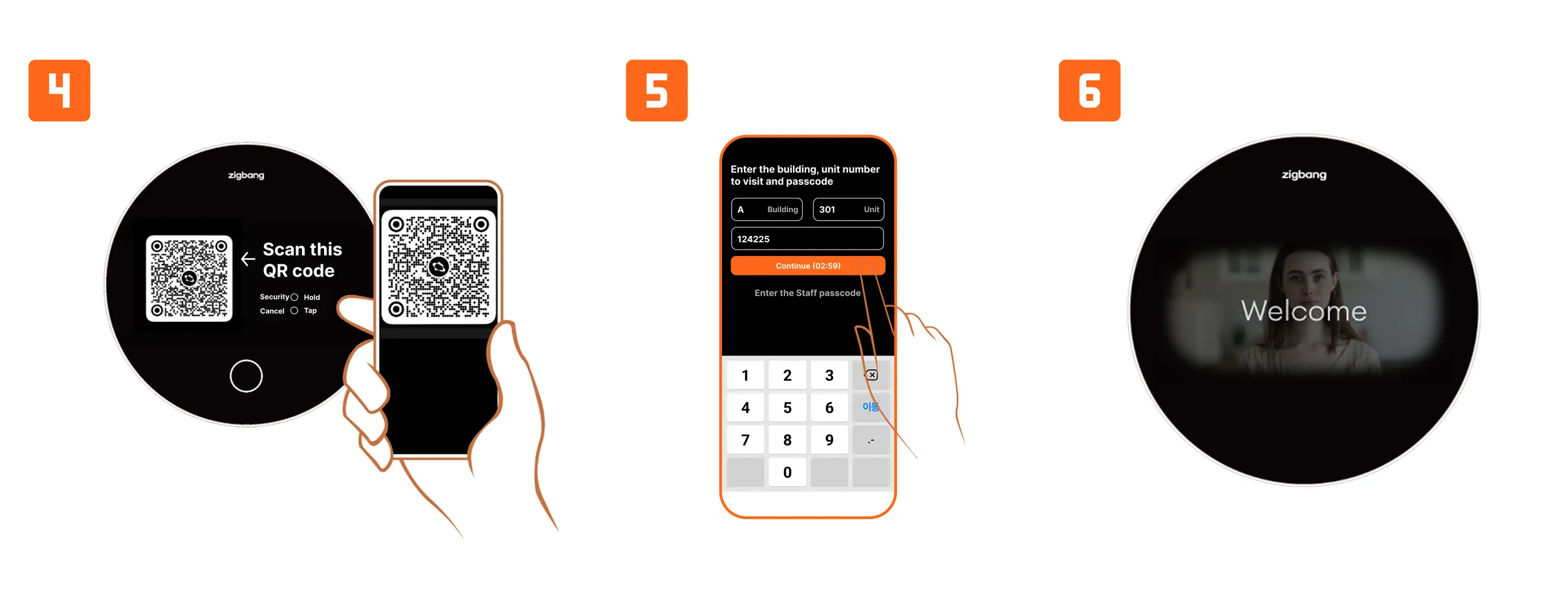
- The visitor hold the Home button, then scan the QR code on the screen with their smartphone to authenticate using the visitor passcode.
- After entering the desired resident information on their smartphone, the visitor enters the passcode received from the resident.
- When the visitor’s information is verified, the automatic door will open.
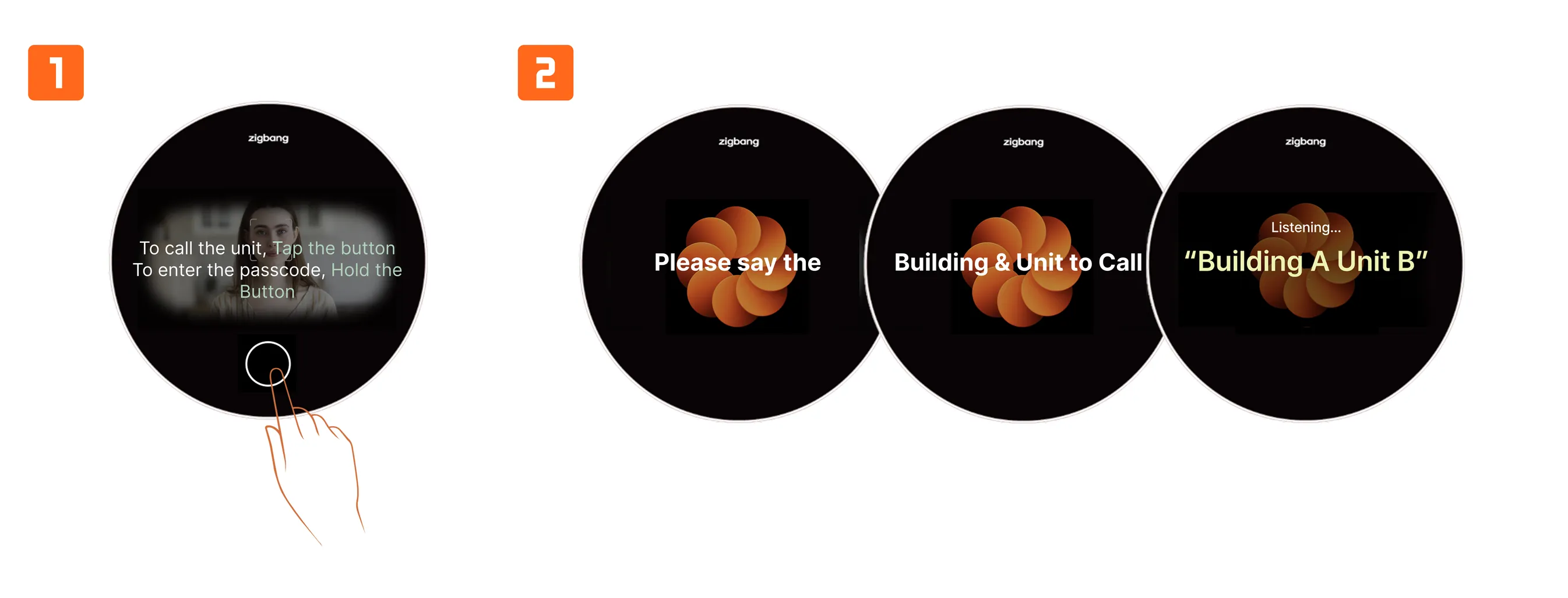
Call Resident - Voice Call
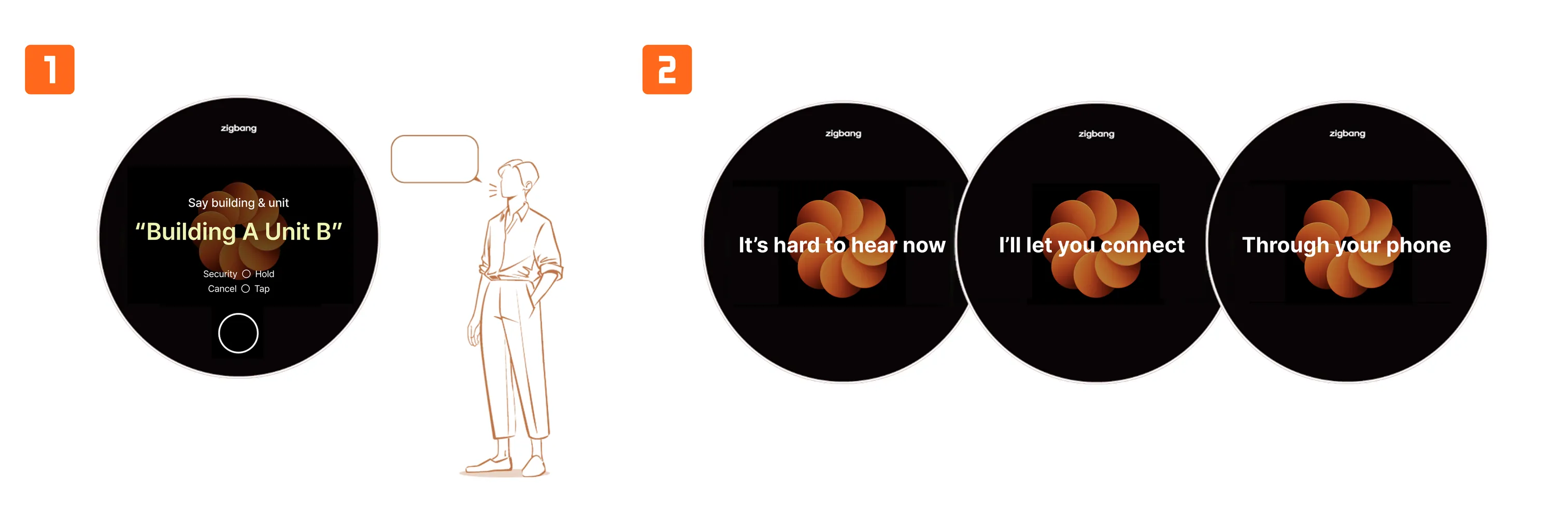
- The visitor taps the Home button to enter Voice Call Mode (Resident Call).
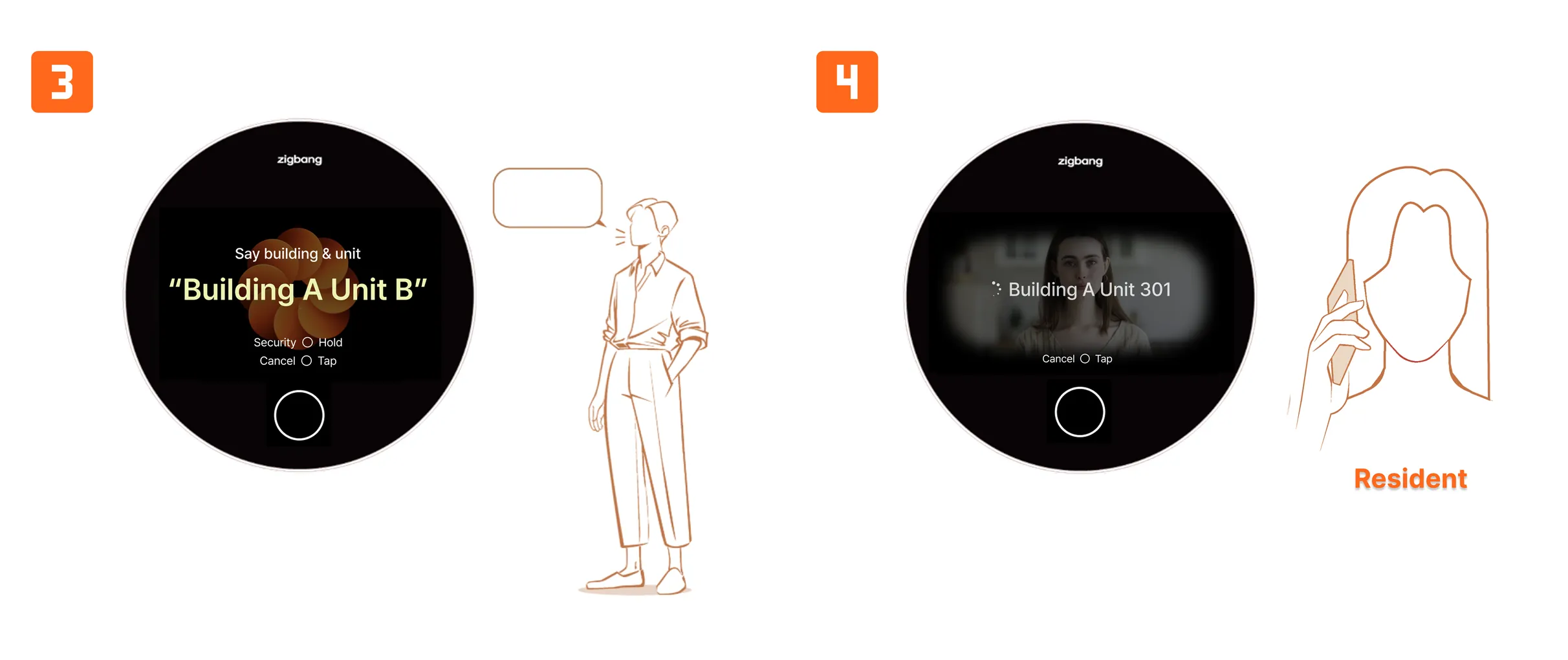
- The visitor speaks the desired resident’s home number after listening to the device's on-screen instructions and guide voice.
- Once the call is connected with the desired resident, the resident can verify the visitor and approve access.
- When the visitor’s information is verified, the automatic door will open.
Call Resident - QR Scanning
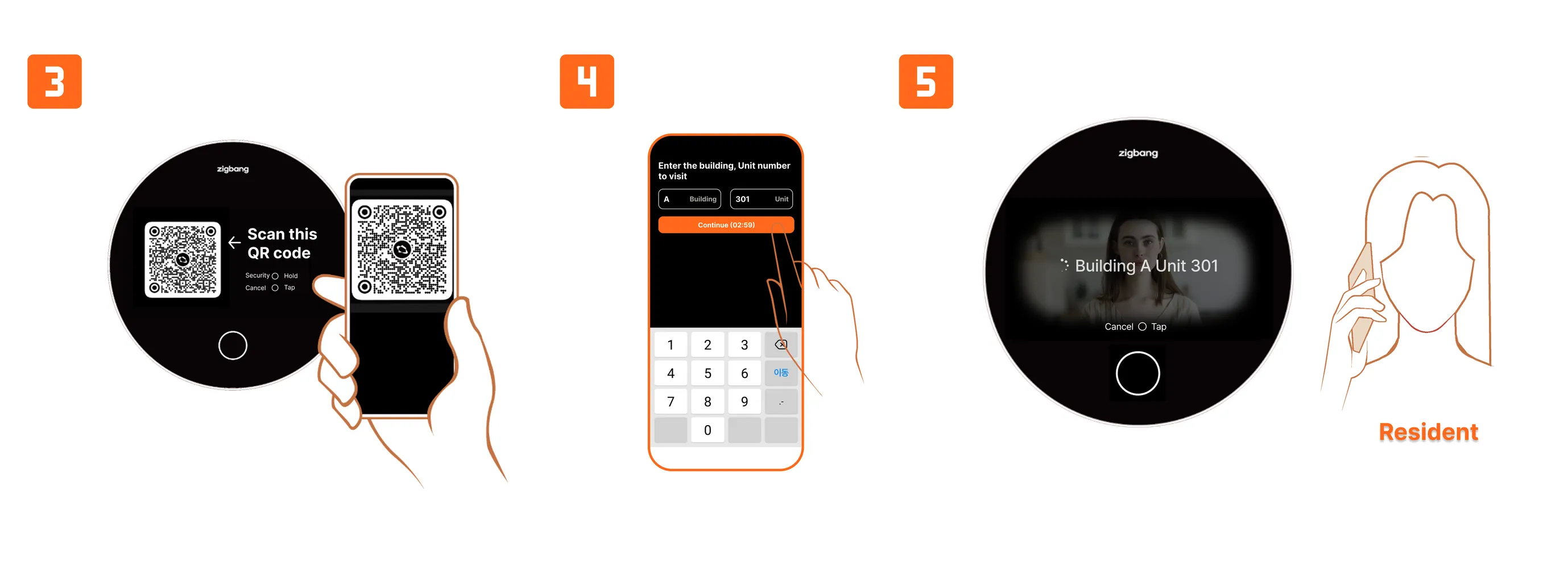
- If voice recognition does not work in Voice Call Mode, the screen will switch to the QR mode.
- The visitor can scan the displayed QR code with their smartphone to make a resident call via their smartphone.
- After entering the desired resident’s information and connecting with the resident, the resident can verify the visitor and approve access.
- When the visitor’s information is verified, the automatic door will open.